 Pentra
 Introducing Omni
An analyst asks an AI assistant to look into a suspicious login. To be useful, the assistant needs to pull the detection, check the account and look at activity on the device. Giving it a vendor API key is straightforward. Deciding how much access it should have, who can approve a sensitive action and when that access should end takes more care.
Omni gives security teams a place to manage those decisions. It connects your AI clients and agents to security tools and approved models, keeps vendor credentials out of their configuration and records the calls they make. You can give an assistant the tools it needs for a case, set a spending limit and withdraw its access when the work is done.
Connect your team
Your analysts can work in Claude Code, Claude Desktop or Codex. Omni's setup tool connects those clients to your gateway, where each person signs in with their own identity. Your own agents can use the same endpoint.
Access follows the roles and groups you assign. An analyst who can read detections sees those tools in their client. Tools they cannot use stay out of the list, and attempts to call them directly are refused. An explicit denial takes precedence, even if another group grants access. With Google Workspace, you can tie Omni roles to the groups your organisation already manages.
Vendor credentials stay in Omni. When an approved request comes through, the gateway adds the credential and makes the call. Several analysts can use the same vendor connection while their activity remains attributable to each person.
Omni connects to Rapid7 and SentinelOne. You can also add another vendor's tool server and apply the same access controls.
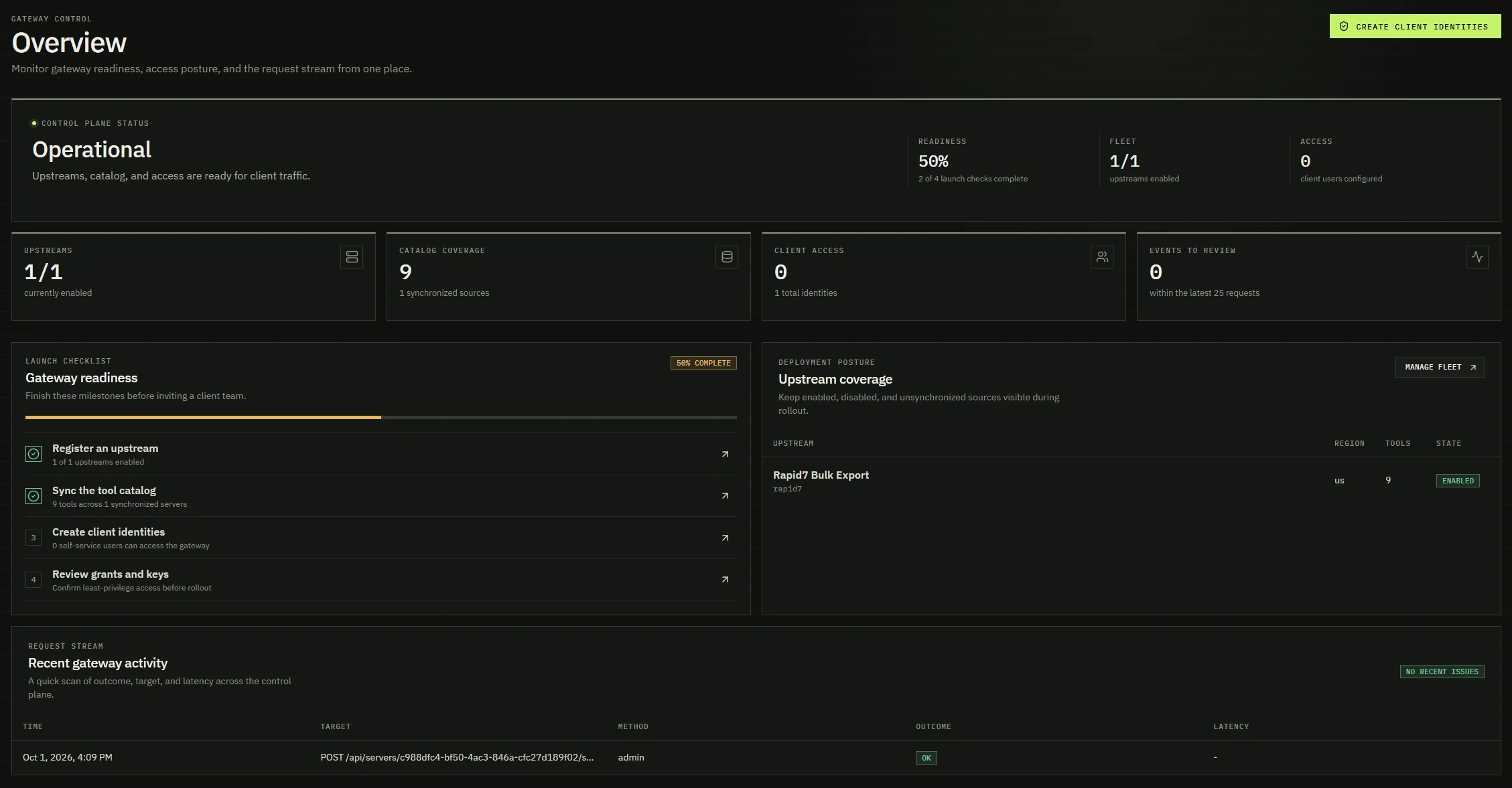
Access for a case
An investigation rarely needs every permission an analyst holds. In Omni, you issue a session grant for the work at hand: a named set of tools, tied to one case, with an expiry and an optional call limit. An agent cannot request tools beyond the access of the person or service authorising it.
Take that suspicious login. You might let an assistant read the detection and query the endpoint while you review the evidence. If the investigation calls for isolating the device, access to that containment tool requires a second person's approval. Permission to gather evidence does not quietly become permission to take a machine off the network.
Grants require independent approval by default. Administrators can allow automatic approval for selected tools to keep routine evidence gathering moving. Containment tools always require a person. In Pentra Graph, the reviewer can approve a grant from the case view, with the investigation in front of them.
Desktop sessions use the same approach. A command creates a grant for the case and stores its token in the operating system's keyring. The local entry is removed when the grant expires or is revoked.
If an orchestrator hands part of the investigation to another agent, it can pass on a smaller grant. That agent gets fewer permissions and no more time than its parent. Revoking the original grant also revokes every grant made from it, so you can stop the whole chain from one place.
Choose your models
You may want one model for gathering evidence and another for reviewing a difficult case. Omni gives your team a catalog of approved models from OpenAI-compatible providers, Anthropic, Amazon Bedrock and Gemini on Google Vertex AI.
People and agents choose a model from that catalog. Omni handles the provider connection and credentials, so changing a model does not mean distributing another API key across the team.
You decide which models meet your organisation's requirements. A catalog model stays unavailable until an administrator has approved it against your no-retention terms. For Bedrock and Vertex AI, Omni uses your cloud identity without storing a long-lived cloud key.
Token and cost budgets put a limit on each session's model use. Omni reserves the allowance before sending a request, including when agents make calls in parallel. During a busy investigation, several requests cannot each spend the same remaining balance. Usage records show the tokens consumed and what the calls cost.
See your AI use
An approved-applications list only helps if you know what people have installed. Omni's client inventory shows recognised AI clients on each person's devices, including versions where available, and flags applications your organisation has not authorised. You can review usage across the organisation or look at one person's devices.
Inventory is optional. It checks application presence and version without reading prompts, conversation history or file contents. Turning it off removes the collected inventory.
For supported desktop clients configured to use Omni's local proxy, you can also see which providers and models they contact, request and response sizes, and the tool names returned by the model. This helps answer a different question: an application may be approved, but which service is it actually sending requests to?
Provider and model rules let you allow the services your team has approved and block others before a request reaches them. A refused request names the policy behind the decision, giving the user a reason they can act on.
These controls cover traffic routed through Omni's gateway or local proxy. Moving a team onto Omni also means revoking old vendor keys and using your existing device and network controls to close off direct access.
Review and respond
When a case needs a closer look, you can trace calls back to the person or agent, the session grant and the investigation. Permission changes are recorded too. The audit trail is append-only, and a call does not proceed if its required audit record cannot be written.
Rate limits restrict how often a caller can act. Alert rules flag unusual activity and email the people responsible for reviewing it. If you need to stop access to a vendor, disabling that connection stops new tool calls immediately.
Hosted Omni records model usage without storing the prompt or reply. Local proxy records also exclude message text by default. If your audit requirements call for full messages, a self-hosted deployment can keep them in your environment under your retention policy.
That gives your team a record of how AI is being used without collecting every conversation by default.
Omni and Pentra Graph
Pentra Graph uses Omni to gather evidence from your security tools during an investigation. Your analysts' AI clients and your own agents use the same gateway, each with their own permissions. You can manage access across that work and review the activity in one place.
Each customer has a separate Omni instance, with its own database, encryption key and tool connections. Enterprise deployments run in your own cloud account.
If you're connecting AI to your security tools, we'd like to walk through a case with you. Tell us which clients and models your team uses, what they need to reach and which actions require approval. Get in touch, and we'll show you how that works in Omni.